Features
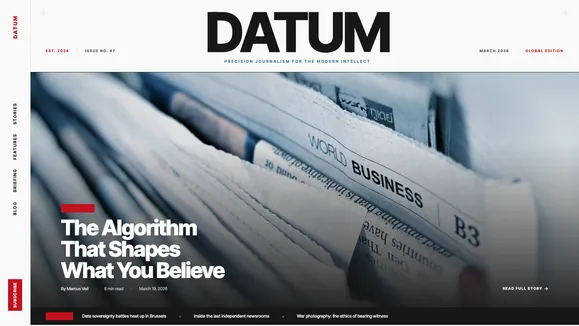
- Print registration cover photo
- Masthead with issue number and date
- This week story grid by section
- Reading list
- Writers list
- Membership block with two prices
- Blog archive grouped by section
Included Pages
Editor Daily Template
A magazine and blog template for an independent weekly with sections, writers and a membership offer. Serif type on warm paper, and a cover photo whose print plates slide into register as you scroll.
A magazine template for writers who publish long pieces
This is a blog template built like a small printed weekly. It suits publications, newsletters and writers who publish fewer, longer stories and want them to look like they matter. The sample site is Datum, a made-up independent magazine published every Saturday from Leeds, with six staff writers, a research editor and 4,300 paying members.
The stories, writers, prices and photos are sample content. Seven example articles are included so you can see the archive and article pages filled in; you replace them with your own posts.
What is on the homepage
A masthead at the top carries the issue number and date. Below it the cover story opens with its section, a large serif headline, a short standfirst and the writer's byline, and a letter from the editor sits alongside.
Then the signature scene: the cover photo arrives as three print plates in cyan, magenta and yellow, slightly offset like a misprinted page. As you scroll the photo up the screen, the plates slide together until they line up exactly and the full colour picture appears, a quiet nod to how a newspaper press works. A pull quote and a link to the full story sit beside it.
The rest of the homepage:
- This week: six stories laid out like a magazine spread, each with its section, summary, writer and reading time, and photos that drift gently inside their frames as you scroll
- Reading list: five books, films and archive pieces the editors recommend, with a note on each
- Writers: six names with their beat, a short bio and their latest story
- Membership: what members get and two prices, monthly and annual
Thin rules above the sections draw in from the left as they appear.
The archive and article pages
The blog page is the archive. It groups every story under its section (reportage, science, money, culture and so on), with a jump link for each section at the top.
Article pages are set for reading: a wide headline, an italic standfirst, byline, date and reading time, a captioned lead photo and body text at a comfortable line length with pull quotes. Each article ends with an about the writer box, a membership prompt and three more stories from the issue.
Who it suits
- Independent magazines and online weeklies
- Local news and community publications
- Writers running a paid newsletter who want a proper website
- Long-form essay and criticism blogs
- Think tanks and research groups that publish reports as articles
Frequently Asked Questions
Does the print plate effect work on phones?
Yes, it plays on phones too with the plates set closer together, so the effect stays subtle on a small screen. Visitors with reduced motion turned on see the photo already in register.
How do I change the cover photo?
Replace the image in the visual editor. All three plates read the same photo, so changing it once updates every plate, and the colour split is done in the browser. You can also switch the effect off in the editor and show a plain photo.
How do I publish a new story?
Stories are posts in the blog. Write a new one in the editor with its title, section, writer, reading time and lead photo, and it appears in the archive under its section. The homepage story grid is laid out by hand, so you update which six stories it shows when you put out a new issue.
Can readers pay for membership on the site?
Not out of the box. The membership buttons open an email to you, so you can handle sign-ups however you already do. If you use a newsletter or payment service, the AI editor can point the buttons at its sign-up page instead.
Is it fast?
Yes. The page is mostly text, and story photos load as they come into view. The finished homepage scored 100 for performance in a mobile Lighthouse test.
Ready to get started?
Use this template as your starting point and customize everything with AI. Your site will be live in minutes.
More templates
Personal Blog
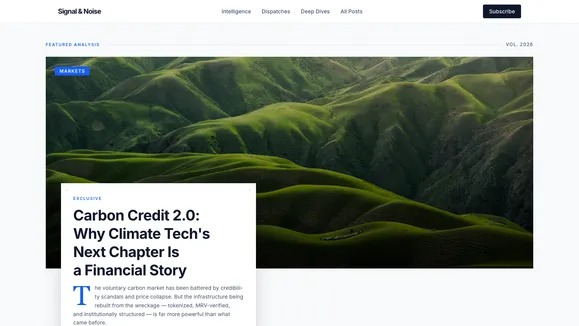
A warm, bookish blog for one writer with a weekly newsletter. The latest essay leads the homepage, and a pinned notebook turns its pages as you scroll to show three more.
View template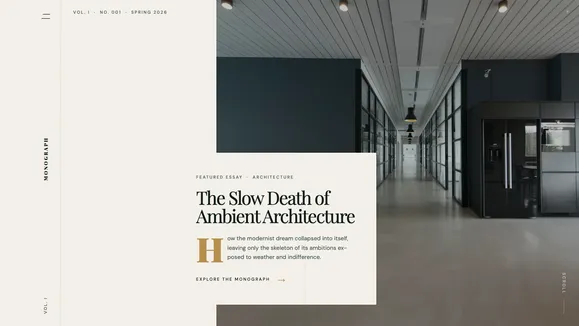
Monograph
A calm, cream and green site for an independent architecture journal with a print edition. A building's line drawing draws itself as you scroll, then the photo of the building appears beneath the lines.
View template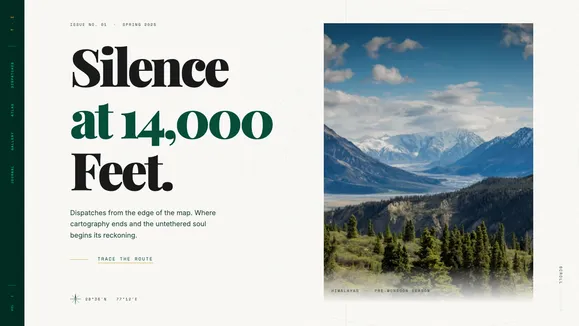
Nomad Notes
A cultured, untamed, and deeply observant blog template for writers and photographers. Featuring a Deep Emerald and Bone palette with premium editorial typography.
View template