Features
- Pinned before-and-after scroll scene
- Services table with budgets and timelines
- Projects page with final costs
- Week-by-week process timeline
- Homeowner reviews
- Insurance and registrations list
- Site visit booking form
Included Pages
Construction & Renovation Template
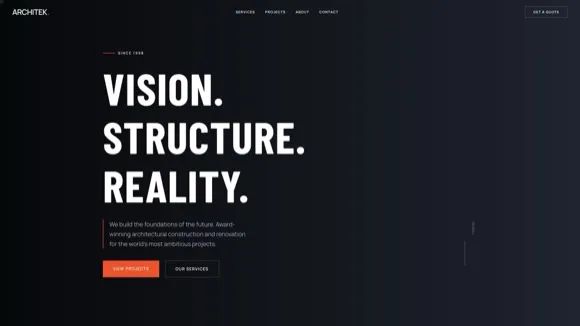
A photo-led site for a residential builder that does extensions, loft conversions and renovations, with real budgets and timelines. Its pinned before-and-after kitchen scene reveals the finished room as you scroll.
For builders who show their prices and their finished rooms
Homeowners planning an extension want to know two things before they call: will it look good, and roughly what will it cost. This template answers both with large project photos and plain numbers. The sample site is Architek, a made-up design and build contractor in Bristol with fourteen staff, doing kitchen extensions, loft conversions and whole-house renovations on Victorian and Edwardian houses.
All the jobs, prices, names and certificates are sample content. You replace them with your own photos, your own budgets and your own registrations.
What is on the homepage
The hero sets a tall condensed headline beside a photo of a rear extension, captioned with where it was built, how long it took and what it cost. Under it, four short promises: fixed price, a 10-year warranty, insurance cover and proper sign-off.
A services table follows with four kinds of job, each with a typical budget range and time on site.
Then the signature scene. On a laptop or desktop the section holds while you scroll, and a vertical seam sweeps across one kitchen photographed before and after from the same angle. As the seam moves, the dated galley kitchen gives way to the finished extension, and numbered pins appear on the new room: the shaker kitchen, the steel beam, the glazed doors, the rooflight and the underfloor heating. A list beside it gives the cost of each item and the week it went in.
After the scene:
- Three recent jobs as cards that rise into place, each with its final cost and weeks on site
- How a job runs: six stages from the free site visit to the warranty, along a line that draws in once
- Reviews from named homeowners, one large and two smaller
- About the firm: the founder's story, how many jobs a year they take, and the insurance and registrations
- A closing band to book a free site visit or call
The other pages
Services goes deeper into each type of job, with typical budget, time on site, which permissions are usually needed and a checklist of what the price includes. Projects lists five finished jobs with photos, a short story, the final cost and time on site, then a table of six more. Contact has the booking form, phone, email, office address, the area covered and what happens after someone gets in touch.
Who it suits
- Residential builders and design and build firms
- Loft conversion specialists
- Kitchen extension and side-return builders
- Renovation contractors working on period houses
- Kitchen and bathroom fitters who do their own building work
- Small general contractors who want to show real budgets
Frequently Asked Questions
How does the before-and-after scene behave on a phone?
Phones and tablets get their own version. The kitchen photo wipes from before to after as it moves up the screen, the labels ride the seam, and the numbered pins appear as it passes. Visitors with reduced motion turned on see both photos, before and after, with the numbered list of work underneath and nothing animated.
Can I use my own before and after photos?
Yes. The scene works best with two photos taken from the same spot at the same height. Upload both in the visual editor, then move or rename the pins and change the costs in the list. If you would rather have a plain side-by-side, you can switch the scene off in the editor.
Do I have to show prices?
No. The budgets and final costs are ordinary text. You can replace them with "Price on request", remove the column, or keep only the time on site.
Where do site visit requests go?
The contact form posts to Pagesmith's built-in form service. Each request reaches your email with the name, phone, postcode, type of job, rough budget and the visitor's notes.
Can I add more projects or a page per service?
Yes. Ask the AI editor to add a project to the Projects page or to create a separate page for, say, loft conversions. New pages use the same fonts, colours and layout pieces.
Is the site fast on mobile?
Yes. The photos are WebP files sized for each screen and load as they come into view. The finished homepage scored 98 to 99 for performance in mobile Lighthouse tests.
Ready to get started?
Use this template as your starting point and customize everything with AI. Your site will be live in minutes.
More templates
Design Furniture Luxury
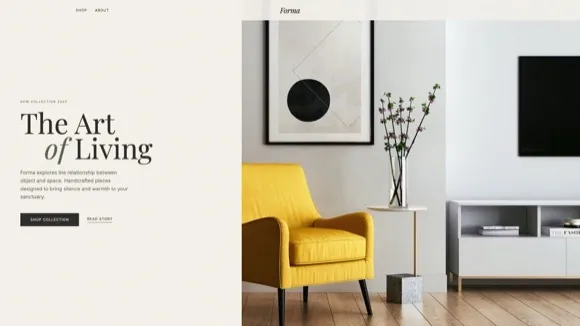
A calm, Scandinavian-style site for a furniture and homeware brand. Named pieces with designers and prices, materials, showroom and trade program, and a scene that zooms into a chair's joinery as you scroll.
View template
Cutthroat & Co. Barbershop
A dark, photo-led site for a neighbourhood barbershop. Barbers with specialities, walk-in and booking rules, opening hours and a booking form, with a price list that flips into place like an old station board.
View template
Prime Equity
A quiet, paper-toned site for a corporate finance adviser that helps owners sell their company. A valuation chart builds bar by bar as you scroll, from yearly profit to the owner's proceeds.
View template