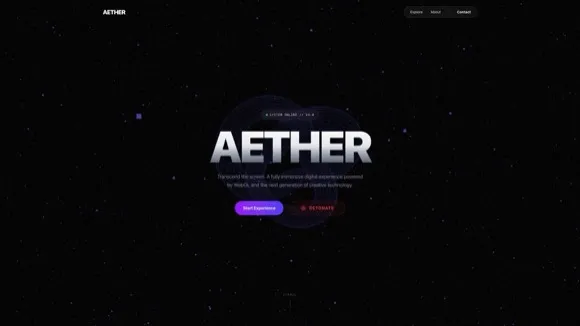
Features
- Scroll-driven product turntable in the hero
- Pinned exploded-view product scene
- Floating renders with scroll parallax
- Selected work with client results
- Services with starting prices
- Four-step project process
- Client quote and studio facts
- Project brief form
Included Pages
3D Experience Template
A one-page site for a 3D and CGI studio that makes product renders, configurators and launch films. Headphones turn on a turntable as you scroll the hero, and a pinned watch comes apart into six parts.
A website for studios whose product is the picture
This template is for small 3D, CGI and product visualisation studios. The sample site belongs to Aether, a made-up nine-person studio in Rotterdam that turns factory CAD files into product stills, web configurators and short launch films for audio, watch, skincare and furniture brands. Every image on the page is a render, so the site shows the craft as soon as it loads.
The names, prices, client results and renders are all sample content. You replace them with your own studio, your own work and your own numbers.
What is on the page
The page opens on a full-screen dark render of graphite headphones on a basalt block, with the headline set low on the left and two buttons: see the work, or start a project. A rounded capsule menu floats at the top. On a laptop or desktop the first screen holds for a moment as you start scrolling, and the headphones turn about 60 degrees on the block, like a product on a turntable. It is eight renders of the same headphones from slightly different angles, swapped as you scroll.
Next comes a light section with one short statement in the middle. Three small renders sit around it (an aluminium knob, a glass perfume stopper and a walnut block), and each one drifts at its own speed as you scroll past, which gives the section a sense of depth.
Then the signature scene. A dark section holds the screen while you scroll, and an assembled wristwatch comes apart along its axis into six parts: crystal, bezel, dial, movement, case and caseback. The parts spread out in depth, and a short numbered caption appears beside each one as it settles. The text on the left tells the story of that one watch project, so the scene doubles as a case study.
After that:
- Selected work: four projects in an offset grid, each with the brand, what was made and one result
- What we make: product stills, launch films, configurators and model preparation, each with a starting price
- A full-width band with a glowing glass bottle that slowly pulls back as it crosses the screen
- How a project runs: four steps from first files to delivery, with week numbers
- A client quote and four studio facts (team, software, clients, languages)
- A brief form asking for name, company, launch date, project type, budget and a description
- A khaki footer with the studio name set very large across the bottom
Who it suits
- CGI and product rendering studios
- Freelance 3D artists who sell stills to brands
- Teams that build product configurators for online shops
- Motion studios that make short product launch films
- Industrial design studios that want to show models and renders
- Architectural visualisation studios willing to swap the sample work
Frequently Asked Questions
What happens to the scroll scenes on a phone?
On phones and tablets the assembled watch still comes apart into its six parts as it scrolls up the screen. The headphone turntable runs only on laptop and desktop screens, so smaller screens show a single still render in the hero and the extra angles are never downloaded. Visitors who have reduced motion turned on see the still hero and the watch already taken apart, with the six captions as a list underneath.
Can I put my own product in the exploded scene?
Yes. The scene is a stack of separate transparent renders, one per part, placed on top of each other. Upload your own part renders in the same angle and lighting and the AI editor can line them up and rename the captions. You can also turn the animation off in the editor and keep the still layout.
Does the template use WebGL or a 3D model viewer?
No. The depth comes from ordinary images moved in CSS 3D space as you scroll. There is no three.js or model embed, which keeps the page light. If you want an interactive model viewer, you can ask the AI editor to add one.
Where do the brief form submissions go?
The form posts to Pagesmith's built-in form service, and each brief arrives in your email with the project type and budget the visitor picked. You can change the fields or the dropdown options in the editor.
Is it fast with so many large renders?
The renders are WebP files in several sizes, and everything below the hero loads only when it comes near the screen. The finished template scored 99 for performance in a mobile Lighthouse test.
Can I add separate pages for each project?
The template ships as one long homepage plus privacy, terms and cookie pages. You can ask the AI editor to add a page per case study or a blog, and it will use the same fonts and colours.
Ready to get started?
Use this template as your starting point and customize everything with AI. Your site will be live in minutes.
More templates
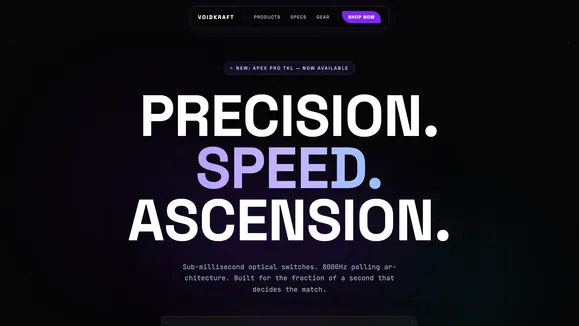
Vertex Gaming
A high-performance, dark-themed glassmorphic template engineered for esports, gaming hardware, and technical SaaS brands demanding a zero-latency visual aesthetic.
View template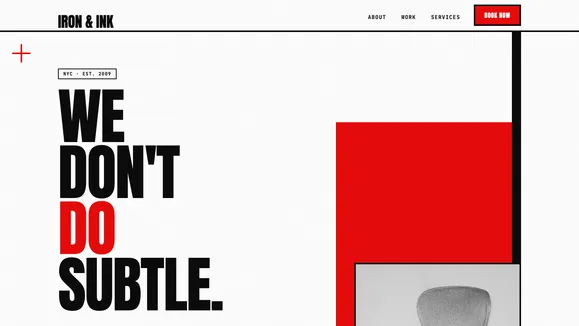
Ink & Iron
A neo-brutalist, high-contrast website template designed for tattoo studios, artists, and creative agencies that demand an unapologetic, raw digital presence.
View template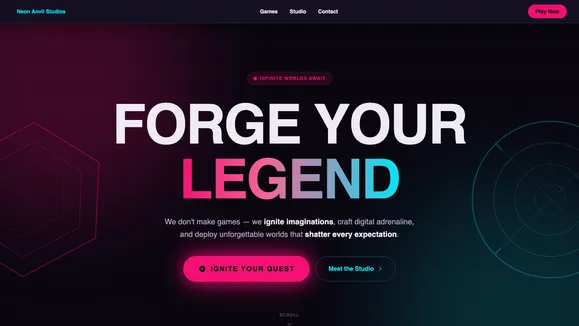
Pixel Forge
A one-page site for an indie game studio, with pixel art, a pixel display font and warm night colours. Its signature scene is a side-scrolling game level that moves sideways in layers while the hero lights lamps.
View template