Features
- Latest episode hero with listen buttons
- Pinned transcript scene with host and guest lines
- Recent episodes list with number, date and length
- Hosts section with studio photo
- Past guests grid with portraits
- Sponsors section
- Newsletter sign-up form
Included Pages
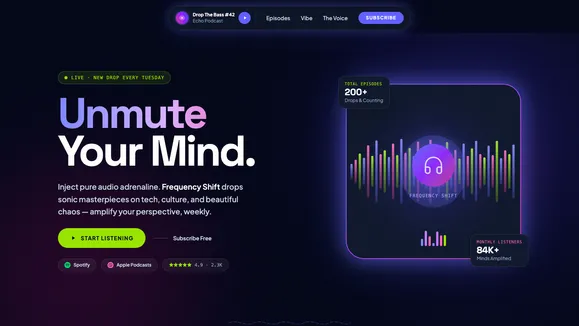
Frequency Shift Podcast Template
A warm, paper-toned website for an interview podcast. Its signature scene is a transcript excerpt where host and guest lines arrive one at a time from opposite sides, like a conversation being written down.
A home for a weekly interview show
Frequency Shift is a one-page website for a conversation podcast with one or two hosts and a new guest each week. The example show is recorded in a second-floor room in Pittsburgh by two former journalists, Maren Holt and Theo Adeyemi. Their episodes, guests and sponsors are made up to show how a finished site looks. You replace them with your own show.
It looks like a well-set magazine page: cream paper, dark brown ink, a serif for headings and one rust-red accent on the buttons. The tone is quiet and grown-up, which suits shows built on long, patient conversations.
What is on the page
The show name runs across the top in very large type. Below it, a short pitch and the Apple Podcasts and Spotify buttons sit on the left, and the latest episode sits on the right with the guest's portrait, title, a two-line summary, episode number and length.
The next section is the signature scene. An excerpt from one episode is laid out as a transcript, with the host's questions on the left and the guest's answers on the right in a larger serif. On a desktop screen the section holds while you scroll and the lines arrive one by one, each sliding in from its own side, until the whole exchange is on screen. Small portraits of both speakers and a "Listen from 23:10" link sit beside it.
After that comes a list of recent episodes, each row showing the number, title, guest, date, length and a round play button that pops in after its row. A hosts section pairs a wide studio photo with a short story of how the show started and a line on each host. "Who has sat at the table" shows four guest portraits and a longer list of earlier guests by name and job. A sponsors paragraph names this season's backers, and the dark footer holds a newsletter sign-up.
Who it suits
- Interview and long-form conversation podcasts
- Public radio style shows moving to their own site
- Two-host shows that want both people on the page
- Oral history and storytelling projects
- Listener-funded shows with a newsletter and a few sponsors
Frequently Asked Questions
What happens to the transcript scene on a phone?
On phones each transcript line slides in from its speaker's side as it scrolls up, and the rule beside each guest answer draws down. For visitors who have reduced motion switched on, the whole excerpt is shown at once as a normal transcript, host on one side and guest on the other.
Can I use a quote from my own episode?
Yes. Every line of the excerpt is plain text, along with the speaker names, the timestamp and the portraits. Change them in the visual editor, or paste a passage from your transcript into the AI editor and ask it to set it up in the same layout.
Do the play buttons play audio on the site?
In the sample they are links, styled as play buttons, for each episode. Point them at your episode pages on Apple Podcasts or Spotify, or ask the AI editor to add an audio player that plays the episode file.
Where do newsletter sign-ups go?
The sign-up form in the footer sends each address to you through Pagesmith's built-in form service, so you receive it by email. If you use a mailing list tool, you can ask the AI editor to connect the form to it instead.
Can each episode have its own page?
The template ships as one homepage. Ask the AI editor to add episode pages and it will create them with show notes in the same style and link the episode list to them.
Ready to get started?
Use this template as your starting point and customize everything with AI. Your site will be live in minutes.
More templates

Sonic Fest
A high-kinetic, neo-brutalist website template designed for underground music festivals, raves, and immersive events. Command attention with aggressive typography and extreme contrast.
View template
VØID / SONIC
A visceral, high-fidelity dark mode template engineered for the electronic music and underground events industry.
View template
Neon Rhythm DJ
A black and orange, club-poster style website for a DJ or producer. Its signature scene is a mix waveform that fills with colour and moves a playhead as you scroll, with track names marked along it.
View template