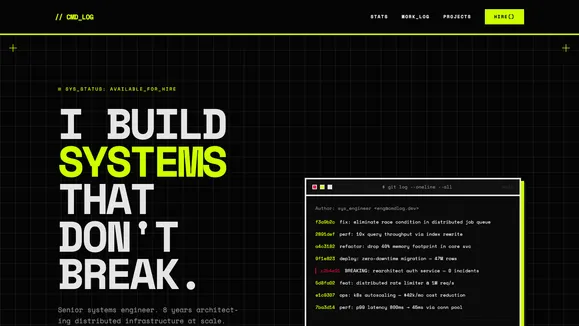
Features
- Pinned code diff scene that applies on scroll
- Project list with one result per project
- About section with portrait and job history
- Writing list
- Talks with stage photo
- Open source projects
- Email contact section
Included Pages
Commit Log Portfolio Template
A quiet, typographic one-page portfolio for software engineers. Its signature scene is a code diff that applies itself as you scroll, ending on the before and after numbers of a real-looking change.
A portfolio for engineers who would rather show results than skills badges
Commit Log is a single-page personal site for a senior developer, staff engineer or technical freelancer. The sample owner is Elena Varga, a staff engineer working on payment systems at a fictional company in Copenhagen. Her projects, numbers, talks and articles are placeholder content written to show how the page reads when it is filled in. You replace all of it with your own work.
The design is plain on purpose. An off-white page, a dark band for the code, a sans serif for reading and a monospace face for dates, file names and figures. There are no skill bars, logos or progress rings. Each project is one line of what you did and one number that shows it worked.
What is on the page
The top of the page is a short statement in large type, a two-line summary, and a small table with role, location, current focus and availability.
Below it is the signature section, set on a near-black band. A Go file called settle.go sits next to a short story about a slow nightly job. On a desktop screen the section holds still while you scroll, and the diff plays out: the ten red lines that loaded rows one at a time fold away one by one, and six green lines open in their place. When the code is clean, two results appear underneath, "840 ms to 120 ms" and "3 h 10 min to 41 min". The code is ordinary text, so you can paste in your own change.
Next comes "Selected work", five projects in rows with year, name, employer, a short description and the result. A thin rule draws across above each row as it scrolls in. Then an about section with a portrait and a three-line job history, a writing list with dates and reading times, a talks section with a conference photo, three open source projects, and a contact block with a large email link and a note on availability.
Who it suits
- Backend, platform and infrastructure engineers
- Staff and principal engineers looking for their next role
- Freelance developers and technical consultants
- Engineering managers who still write code and speak at meetups
- Open source maintainers who want one page for their projects and talks
Frequently Asked Questions
Can I put my own code in the diff?
Yes. Each line of the diff is a separate line of text on the page, marked as removed, added or unchanged. Edit the lines in the visual editor, or ask the AI editor to replace the example with a change from your own work, including the file name and the two result figures.
What does the diff look like on a phone?
On phones the diff reviews itself as you scroll. Removed lines are struck through one by one, new lines are typed in, and then the before and after figures rise. Anyone who has reduced motion switched on sees the finished code with the line counts and the results.
Is there a contact form?
No. The contact section is a large email link plus a short note about availability, which is how most engineers prefer to be reached. If you want a form, the AI editor can add one that sends messages through Pagesmith's built-in form service.
Do the writing entries link to full articles?
In the sample they are a list of titles, dates and reading times. You can point each one at an article you published elsewhere, or ask the AI editor to add a blog to the site so the posts live on your own domain.
How fast is it?
In our Lighthouse runs of the template on a mobile profile, the homepage scored 100 for performance. The photos are served in several sizes and only the hero loads up front.
Ready to get started?
Use this template as your starting point and customize everything with AI. Your site will be live in minutes.
More templates

Aperture Fineart
A quiet, image-led site for a fine art photographer who sells editioned prints. Dark gallery pages, priced prints, exhibitions and commissions, and a darkroom scene where a print develops as you scroll.
View template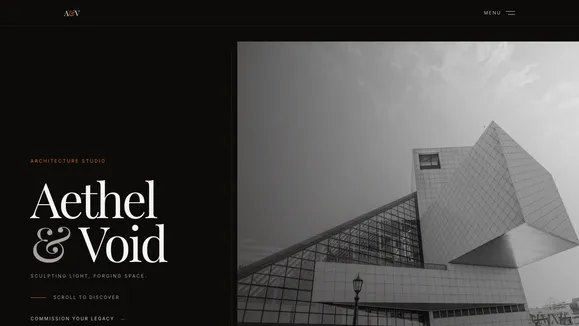
Aethel & Void
An ultra-luxury, avant-garde showcase template designed for architecture firms and creative studios. Features dramatic typography, horizontal scrolling, and cinematic interactions.
View template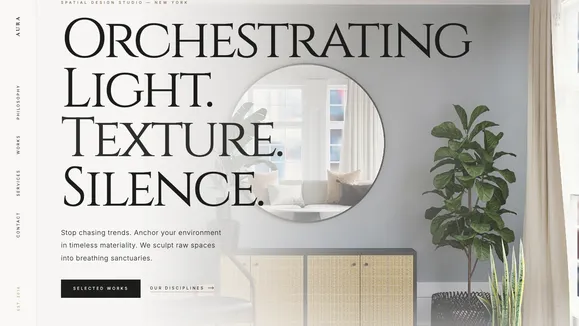
Aura Interior
An unapologetically high-end, editorial showcase template designed for luxury interior designers and architectural firms to author spatial experiences.
View template