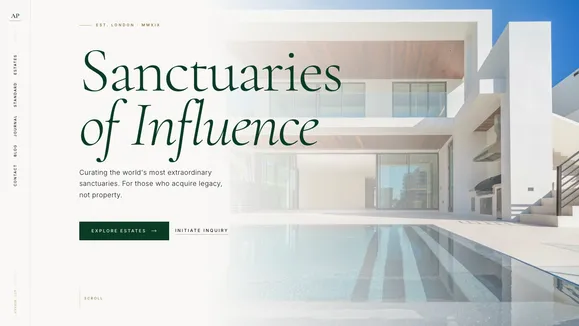
Features
- Pinned map tour from listing to listing
- Listing cards with price, bedrooms and floor area
- How selling works, with the agency fee
- Recently sold table with asking and sold prices
- Neighbourhood journal (blog)
- Team with direct phone and email
- Valuation and viewing request form
Included Pages
Prime Estate Listings Template
A calm, photo-led website for a boutique estate agency. Its signature scene is a drawn neighbourhood map that glides from one listing pin to the next as you scroll, while the property card beside it changes.
For independent agents who know a few streets very well
This template is built for a small estate agency that sells homes in a handful of neighbourhoods. The sample agency is Aurelia Prime, an independent office in Notting Hill, London, selling period houses and flats across West London. The listings, prices, sales and staff are invented to show how a finished site reads. You replace them with your own homes and people.
It looks like a printed property brochure: cream paper, a classic serif for headings, deep green for the sold section and large interior photos. Prices and room counts are always in plain view, because that is what buyers look for first.
What is on the page
A full-width photo of a stucco terrace fills the top, with the agency's promise, two buttons and a small card for the newest listing.
The map tour comes next. "From the square to the river" shows a hand-drawn map of the area with parks, main roads, the river and four price pins joined by a route. On a desktop screen the section holds while you scroll, and the map pans and zooms from one pin to the next. Each pin lifts as the map reaches it, and the listing card next to the map swaps to that home's photo, price, address, bedrooms, bathrooms and floor area.
After the map, "Selling with us" explains the valuation, the marketing and the weeks between offer and completion in three numbered steps, and states the fee. A green "Recently sold" table lists six addresses with area, asking price, sold price and weeks on the market. A journal preview links to neighbourhood guides, the team section gives each agent a direct phone number and email, and the page ends with a form for booking a valuation or a viewing beside the office address and opening hours.
The Journal has its own page with four sample neighbourhood guides, from garden squares in Notting Hill to riverside flats in Chelsea.
Who it suits
- Independent and boutique estate agents
- Letting agents with a small, curated list
- Property finders and buying agents
- New-build sales teams for a single development
- Agents moving away from a franchise website
Frequently Asked Questions
What happens to the map on a phone?
On phones the map stays under the menu while the listing cards scroll beneath it. It glides and zooms to each home's pin, then pulls back out to all four. Visitors who have reduced motion switched on see the map whole with every pin in place, followed by all the listing cards one under the other.
Is the map a real Google map?
No. It is a simple drawn map made in code, with your parks, roads and river as shapes and labels. That keeps it fast and free of map fees. You can rename the streets and move the pins in the editor, or ask the AI editor to redraw it for your area.
How do I add or remove a listing?
Change the photo, price, address and room details of a card in the visual editor, or ask the AI editor to add a new listing to both the map and the cards. The template does not connect to property portals, so listings are updated by hand.
Where do valuation requests go?
The form asks for name, email, phone, what the visitor would like (a valuation, a viewing or something else) and the address. It sends through Pagesmith's built-in form service to your email.
Is the journal a real blog?
Yes. The journal has an index page and a page for each guide, so you can publish neighbourhood guides and market notes that search engines can find. New guides can be written in the editor.
Ready to get started?
Use this template as your starting point and customize everything with AI. Your site will be live in minutes.
More templates
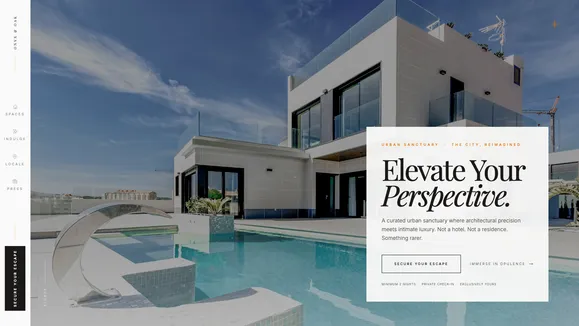
Onyx & Oak
An unapologetic luxury showcase template featuring architectural scale, editorial layouts, and a signature vertical navigation rail.
View template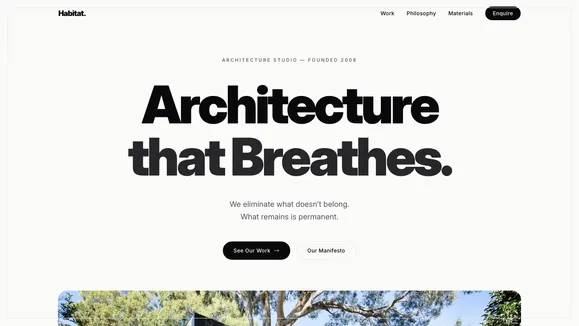
Habitat Homes
A minimalist, high-conversion website template designed for architecture firms and premium real estate developers. Showcase your projects with stunning typography and Apple-inspired restraint.
View template
Fine Dining Restaurant
A light, linen-white site for a tasting menu restaurant with bottle green accents. Its signature scene lays the season's courses onto a tablecloth seen from above, one plate at a time, as you scroll.
View template