Features
- Course-by-course menu reveal
- Seasonal fish ticker
- Chef biography with career timeline
- Price, seatings and booking policies
- Seat request form
Included Pages
Kuro Omakase Template
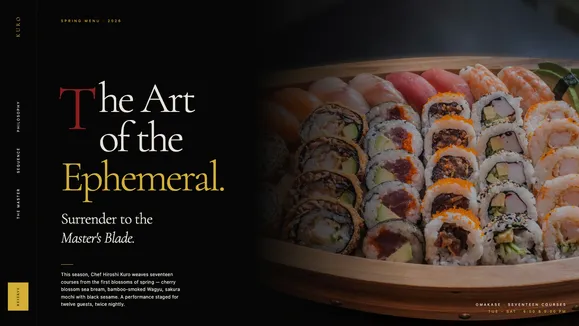
A dark one-page site for a sushi counter or omakase restaurant. Warm black, gold accents and close-up food photos, with a tasting menu where each course is uncovered in turn as you scroll.
A quiet, dark website for a small tasting counter
Kuro is made for restaurants where guests sit at a counter and the chef decides the menu: omakase and sushi bars, kaiseki rooms, chef's tables. The demo is Kuro, an invented twelve-seat omakase counter on Harrison Street in Tribeca, New York, with two seatings a night and a seventeen-course menu.
The chef, dishes, prices and policies are all sample content for you to replace with your own.
What is on the page
The first screen pairs a serif headline ("Seventeen courses at one cedar counter") with a close-up of nigiri on a wooden board. Under it are three facts: seating times, price per guest and the address. As you scroll away, the hero text drifts off.
A thin band then lists the fish on the counter this week in italic type.
The counter section explains how dinner works in one paragraph and three short facts (the fish, the rice, the evening), next to a photo of the empty counter that is uncovered from the top as it comes into view.
The signature section is the season's menu. Six courses run down the page on alternating sides of a gold line, which draws itself downward as you scroll. As each course reaches the middle of the screen, its photo is uncovered like a lid being lifted and settles from a slight zoom, the course number slides up, and the previous course dims a little. It reads like dishes arriving one at a time.
After the menu:
- The chef: a portrait, a short biography and a three-step career timeline
- A wide photo of the chef's hands shaping nigiri
- Book the counter: address, price and service charge, when bookings open, deposit, cancellation and dietary policy, phone number, and a seat request form with date, seating, guests and a notes field
Who it suits
- Omakase and sushi counters
- Kaiseki and Japanese tasting menu restaurants
- Chef's table and counter dining concepts
- Small supper clubs with fixed seatings
- Private chefs who host set-menu evenings
Frequently Asked Questions
How does the course reveal behave on phones?
It runs on phones too. Each course photo is uncovered from black as you scroll to it, and a gold thread draws down the margin of the tasting menu. With reduced motion turned on, every course is shown in full from the start.
Is the seat request form a booking system?
No. It sends the request (date, seating, number of guests, name, email, phone and notes) to your email through Pagesmith's built-in form service, and you confirm by hand. If you already use a booking platform, ask the AI editor to replace the form with a link or embed from that service.
Can I show more or fewer courses?
Yes. The demo shows six courses. Ask the AI editor to add or remove courses and it will keep the alternating layout and the reveal for each one.
How do I change the photos?
Click any photo in the visual editor and upload your own. Dark, close-up shots with one light source suit the design best.
Can I add a separate page for private events or gift cards?
The template is one long homepage. The AI editor can add new pages that follow the same dark style and link them from the menu.
Is the site fast?
It scored 98 for performance in a mobile Lighthouse test. Course photos further down the page only load as visitors get close to them.
Ready to get started?
Use this template as your starting point and customize everything with AI. Your site will be live in minutes.
More templates
Fine Dining Restaurant
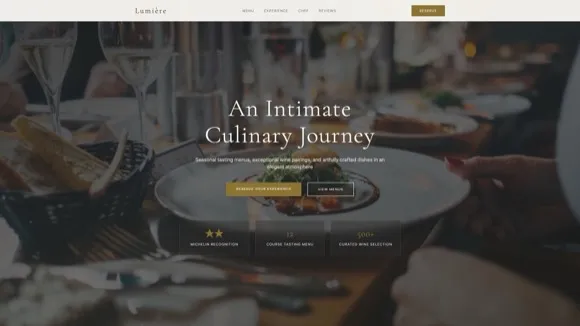
A light, linen-white site for a tasting menu restaurant with bottle green accents. Its signature scene lays the season's courses onto a tablecloth seen from above, one plate at a time, as you scroll.
View template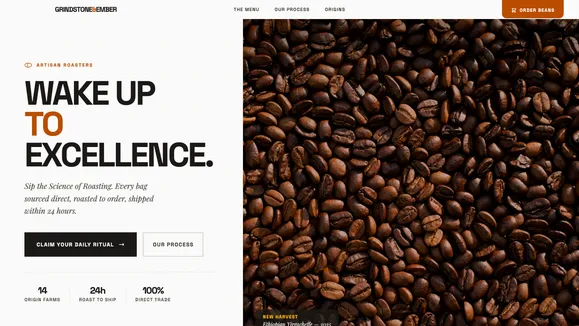
Grindstone & Ember
A warm, dark website template for a specialty coffee roaster with a small shop. It has an origins ticker, a priced coffee list and a filmstrip of the roasting process that slides sideways as you scroll.
View template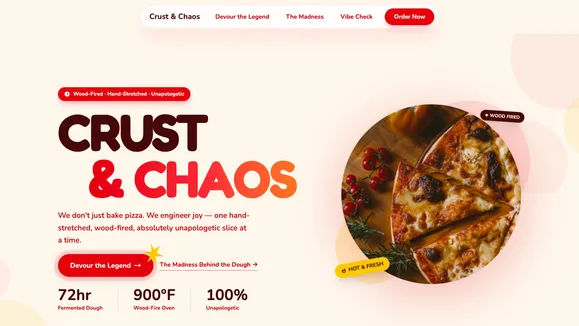
Crust & Chaos
A website template for a neighbourhood pizzeria with a full priced menu, takeaway and delivery details. Warm tomato red and cream, and a scroll scene that builds a Margherita from dough to six slices.
View template