Features
- Product dashboard built in HTML that tilts flat on scroll
- Three feature rows with animated UI cards
- Customer story with results
- Three-plan pricing table
- Code sample with quickstart
- Blog
Included Pages
Vertex Saas Platform Template
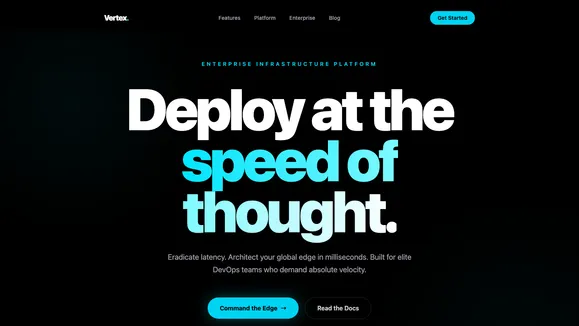
A dark, precise landing page for a developer tool or API platform, with a blog. Feature rows with live-looking UI cards, pricing and a code sample, and a product dashboard that tilts flat as you scroll.
A launch site for developer tools and infrastructure products
Developers judge a product by how specific its homepage is. This template is made for API platforms, hosting services, databases and other tools sold to engineering teams. The example is Vertex, an invented edge platform that deploys functions to 38 regions and shows a trace for every request.
Vertex, its customers, numbers and blog posts are sample content. You replace them with your own product, plans and posts.
What is on the page
The hero is centred: a small "new" announcement link, a two-line headline, a short paragraph and two buttons. Underneath sits a full product dashboard built from HTML and CSS, with a request graph, a list of recent deploys and response times for six regions. It starts tilted back in 3D and slightly shaded, and flattens to face you as you scroll the first screen. It is fully visible from the moment the page loads.
Below the dashboard, a static row of six customer logos with a one-line claim.
Then three feature rows, alternating text and a small UI card:
- Deployments, where a deploy card rises, its build steps tick in one by one and a Ready label lands
- Routing, where a latency chart draws a before and after line for one city
- Traces, where each span in a request trace grows to its duration
The rest of the page has a customer story with a quote and three results, a pricing section with free, per-member and enterprise plans, a code panel showing a short handler next to the quickstart copy, and the three latest posts from the engineering blog. Section headings sharpen from a light blur as they come in.
The blog has an index page and five sample posts on deployments, edge networks, infrastructure as code, Kubernetes and latency.
Who it suits
- API, hosting and edge computing platforms
- Developer tools and SDKs
- Database and data infrastructure startups
- Observability, logging and monitoring products
- DevOps and CI/CD services
- Technical B2B SaaS teams that publish an engineering blog
Frequently Asked Questions
Is the dashboard in the hero an image?
No, it is built from HTML and CSS, so the numbers, deploy names and regions are text you can edit in the visual editor. That keeps it sharp on every screen and light to load. If you prefer a real screenshot of your product, ask the AI editor to swap it in.
What happens to the tilt with reduced motion?
Visitors who have reduced motion turned on see the dashboard flat from the start. On phones the tilt still runs, since it only changes the angle of a panel that is already on screen. You can switch the animation off in the editor.
Can I change the pricing plans?
Yes. Plan names, prices and the lists of what is included are plain text in the visual editor. To add a fourth plan or a monthly and yearly switch, ask the AI editor.
How do I publish blog posts?
Posts are MDX files that show up on the blog index and in the latest posts list on the homepage. You can edit them in the visual editor or ask the AI editor to draft a post.
Is there a sign-up or contact form?
No. The buttons link to the pricing and quickstart sections, and the enterprise plan opens an email to sales. Point the buttons at your own sign-up page, or ask the AI editor to add a form that sends through Pagesmith's built-in form service.
How fast does it load?
The finished template scored 100 for performance in our mobile Lighthouse tests. The page uses almost no photos, since the product UI is drawn in code.
Ready to get started?
Use this template as your starting point and customize everything with AI. Your site will be live in minutes.
More templates

SaaS Fintech
A light, trustworthy website for a B2B payments or finance software company. Its signature scene follows one invoice through approval, currency exchange, payment and reconciliation as you scroll.
View template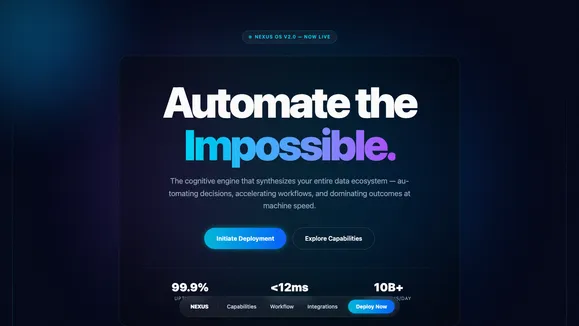
Nexus.ai
A dark, precise landing page for a software product that turns invoices and receipts into accounting entries. As you scroll, a paper invoice is read field by field and each value moves into a clean ledger record.
View template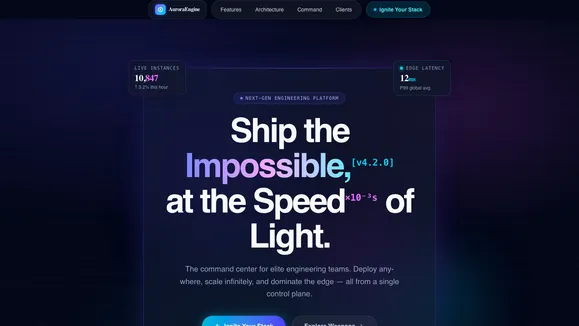
Aurora Roadmap SaaS
A light, friendly landing page for a roadmap or planning tool. Scroll past the hero and a quarterly roadmap builds itself: bars snap into team lanes, dependency arrows draw and a today line sweeps across.
View template