Features
- Pinned floor plan scroll scene
- Four membership plans with prices
- Opening hours and day pass in the hero
- Amenities list
- Monthly events calendar
- Member quote
- Tour booking form
Included Pages
Hub Workspace Template
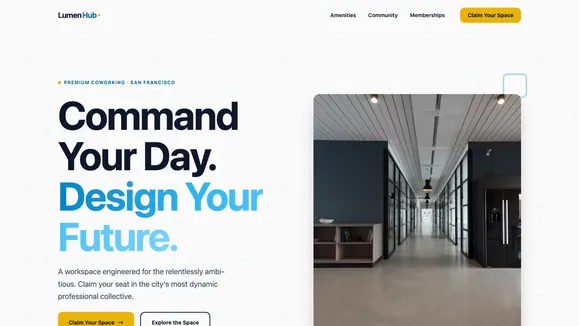
A one-page site for a coworking space with desks, private offices and meeting rooms. Warm and practical, with a pinned floor plan that draws itself and lights up each zone with its price.
A coworking website that shows the actual floor
Someone looking for a desk wants to see the space, know the price and book a visit. This one-page template does those three things in that order. The sample site is Lumen Hub, a made-up coworking floor in a converted printworks in San Francisco's Mission district, with open desks, three private offices, two meeting rooms, phone booths and a podcast studio.
The address, plans, prices, events and photos are all sample content. Replace them with your own rooms, rates and timetable.
What is on the page
The hero pairs a short headline with a large photo of the desk area. Under the buttons for booking a tour and seeing prices, a small strip shows today's opening hours, the day pass price and the walk from the nearest train station.
Next is the signature scene: an architect's floor plan of the whole floor, drawn as clean lines with desks, chairs, doors and windows. On a laptop or desktop the section holds while you scroll. First the walls draw themselves in, then each of five zones lights up one after another (open desks, private offices, meeting rooms, booths and studio, kitchen and lounge), and a card beside the plan describes that zone and what it costs.
Further down:
- Membership: day pass, hot desk, dedicated desk and private office, each with a monthly price and what it includes, plus a note on annual discounts and extra meeting room hours
- What is included: eight everyday things such as fibre internet, coffee, printing, mail handling, showers and guest passes, next to a lounge photo
- Events: this month's calendar with dates, times and who pays what, a photo from an evening event and a quote from a member
- Visit: address, hours, transport and contact details beside a short form to book a tour
Who it suits
- Independent coworking spaces
- Shared studios for designers and makers
- Business centres renting offices by the month
- Podcast or creator studios that also rent desks
- Library or community hubs with bookable rooms
Frequently Asked Questions
What does the floor plan do on a phone?
On phones and tablets the floor plan draws itself, then stays under the menu while the room cards scroll past, and each room lights up on the plan. Visitors who have reduced motion turned on see the finished plan straight away.
Can I draw my own floor plan?
The plan is an SVG built from simple lines and boxes, so it can be changed. Describe your layout to the AI editor, or give it a sketch or an existing plan image, and ask it to redraw the walls, desks and zones. The zone names, descriptions and prices beside the plan are plain text you can edit directly.
Where do tour requests go?
The tour form posts to Pagesmith's built-in form service. You get an email with the visitor's name, email, team size, preferred time and any note they added.
Can members pay or book rooms on the site?
No payments or room booking are built in. The plan buttons scroll to the tour form. If you use a booking or membership tool, the AI editor can link the buttons to it.
How do I keep the events list up to date?
Each event is a row with a date, title, details and price. Edit them in the visual editor, or ask the AI editor to replace the month with a new list you paste in.
Will it load quickly?
Yes. The floor plan is a small vector drawing, and photos below the hero load as they are needed. The finished template scored 100 for performance in a mobile Lighthouse test.
Ready to get started?
Use this template as your starting point and customize everything with AI. Your site will be live in minutes.
More templates
Construction & Renovation
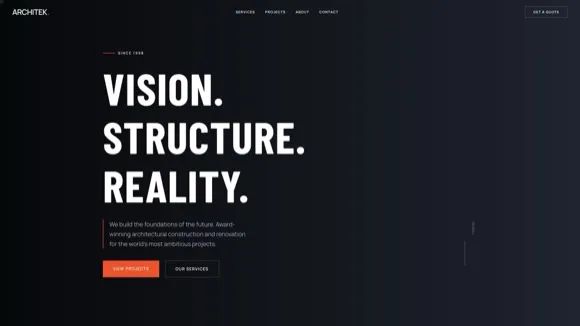
A photo-led site for a residential builder that does extensions, loft conversions and renovations, with real budgets and timelines. Its pinned before-and-after kitchen scene reveals the finished room as you scroll.
View template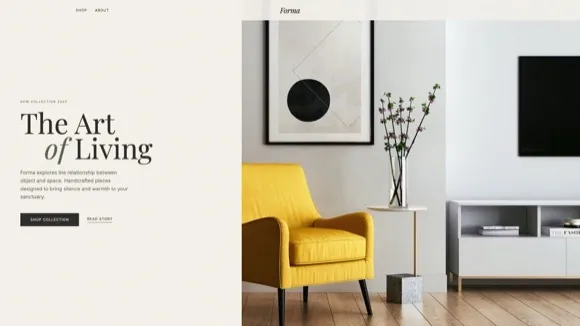
Design Furniture Luxury
A calm, Scandinavian-style site for a furniture and homeware brand. Named pieces with designers and prices, materials, showroom and trade program, and a scene that zooms into a chair's joinery as you scroll.
View template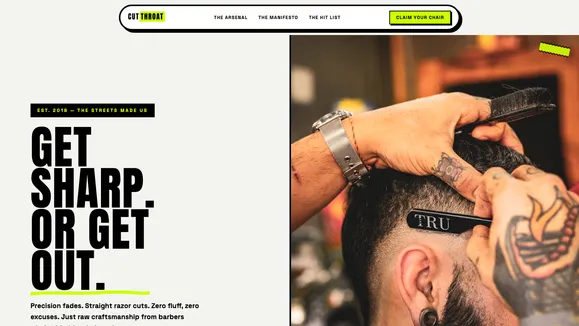
Cutthroat & Co. Barbershop
A dark, photo-led site for a neighbourhood barbershop. Barbers with specialities, walk-in and booking rules, opening hours and a booking form, with a price list that flips into place like an old station board.
View template